Skip to content

Tag: chapter titles

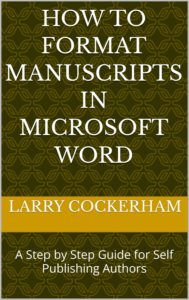
How to Format Manuscripts in Microsoft Word: A Step by Step Guide for Self Publishing Authors

A Step‑by‑Step Guide for Self‑Publishing Authors

by Larry W. Cockerham

You’ve finished writing your manuscript.
Now Word is fighting you.

Page numbers won’t behave.
Spacing changes on its own.
Headers appear where they shouldn’t.
Your document looks right—until you change one thing and it breaks.

This book shows you how to stop fixing formatting problems and start building a manuscript that works correctly from the start.
What This Book Does Differently

Most formatting advice focuses on quick visual fixes—dragging margins, inserting blank lines, or adjusting text by hand. Those approaches work briefly and fail later.

This book teaches you how Microsoft Word actually thinks.

Instead of tricks and shortcuts, you’ll learn a clear, repeatable system based on:

Document structure
Proper use of styles
Page and section breaks
Controlled pagination and navigation

When Word understands what each part of your manuscript is, formatting becomes stable, predictable, and easy to change.
Inside You’ll Learn How To:

Prepare a Word document before formatting begins, so problems don’t compound later
Use styles to control body text, chapter titles, and headings properly
Create clean, reliable chapter breaks without pressing Enter repeatedly
Structure front matter correctly and manage transitions into the main text
Control page numbers, headers, and footers using section breaks
Build and maintain an automatic table of contents that updates correctly
Identify and fix common formatting problems by addressing their cause, not their symptoms

Every step is explained in plain language and built logically, so you understand why each method works—not just how to click it.
Who This Book Is For

Self‑publishing authors formatting their own manuscripts
Writers frustrated by Word’s unpredictable behavior
Authors preparing files for print, PDF, or digital conversion
Anyone who wants professional results without expensive software

No design background required.
No advanced technical knowledge assumed.
The Result

By the end of this book, you won’t just have a better‑looking manuscript—you’ll understand how to format future books faster, cleaner, and with confidence.

Your words deserve to be read without distraction.
This guide shows you how to present them professionally.